


Start Slideshow


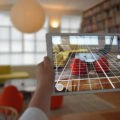 Morpholio AR Perspective FinderMove over expensive trace paper—<a href="http://inhabitat.com/tag/morpholio/" target="_blank">Morpholio</a> just launched a new <a href="http://inhabitat.com/tag/augmented-reality/" target="_blank">augmented reality</a> feature to its flagship Trace app that makes it easier than ever to turn your iPad into a digital drafting board. Released after the launch of Apple’s iOS 11, the updated Trace app now offers a “Perspective Finder” tool that superimposes scaled grids on any image to let anyone draw a perspective drawing like a pro. The “AR Perspective Finder” was revealed alongside “AR Color Capture”, an augmented reality real-life color sampler, for the Board app.1
 Morpholio AR Perspective FinderThe two recently released features were made possible with ARKit, iOS 11’s new framework that lets developers create augmented reality experiences for the iPhone and iPad.2
 Morpholio AR Perspective FinderDeveloped for architects and designers, Trace is a drawing app that merges analog and digital by making it easy to accurately sketch and notate on a tablet.3
 Morpholio AR Perspective Finder“Drawing is experiencing a renaissance with iPad Pro and Apple Pencil," says Anna Kenoff, Morpholio Co Founder. "Our app puts scale drawing at the center of the experience, letting designers work intuitively with an iPad Pro and their hands while not losing any accuracy in the process."4
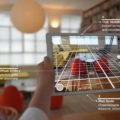
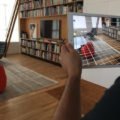
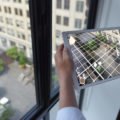
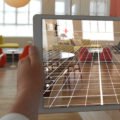
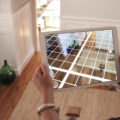 Morpholio AR Perspective FinderUsing AR Perspective Finder is easy: once the iPad’s camera is launched in Trace, the new feature automatically overlays a perspective grid that the user can rotate to his or her liking.5
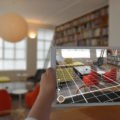 Morpholio AR Perspective FinderThe grid modules can be scaled to different sizes and then locked in location to a vanishing point so that the user can rotate or move the iPad without losing the grid’s placement.6
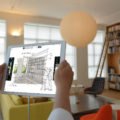
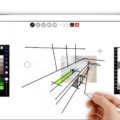
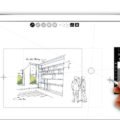
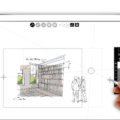 Morpholio AR Perspective FinderOnce an image has been captured, AR Perspective Finder lets you fade the photograph to make sketches more legible.7
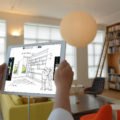 Morpholio AR Perspective FinderPaired with an Apple Pencil, the app lets user draw crisp, clean, and accurate lines of different lengths and colors.8
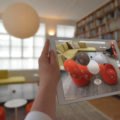 Morpholio AR Color CaptureIn addition to the Perspective Finder, Morpholio launched AR Color Capture that works like a real-world Photoshop color sampler aimed at interior designers.9
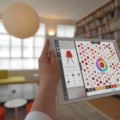 Morpholio AR Color CaptureIt comes with Color Seed, a color-themed search feature that pulls up a catalogue of furnishings that match the sampled color.10
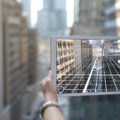 Morpholio AR Perspective FinderMorpholio AR Perspective Finder11
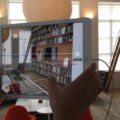 Morpholio AR Perspective FinderMorpholio AR Perspective Finder12
 Morpholio AR Perspective FinderMorpholio AR Perspective Finder13
 Morpholio AR Perspective FinderMorpholio AR Perspective Finder14
 Morpholio AR Perspective FinderMorpholio AR Perspective Finder15
 Morpholio AR Perspective FinderMorpholio AR Perspective Finder16
